Before you start
After you buy, download Liquid Radius using the link on the confirmation page (it's also in your email receipt), drag it to your Applications folder, and open it. The app walks you through this from the moment you open it. Nothing here can damage your Mac or your files, and it's all reversible.
Setup does relax part of macOS' security so the tweak can run. If you'd rather not disable SIP or run a few Terminal commands, Liquid Radius isn't the right fit for you, since macOS doesn't allow corner changes any other way.
You'll need macOS Tahoe 26 or later, an admin password, and about 5 minutes.
Part 1: Recovery Mode
This happens in Recovery Mode, a built-in part of macOS. It looks different from your desktop, but it's still your Mac. Steps below are for Apple silicon. Intel Macs have shorter steps.
- Turn off FileVault if it's on: System Settings Privacy & Security FileVault Turn Off, then wait for it to finish decrypting. This usually takes a few minutes, but can take longer if you have a lot of files on your Mac. You can turn it back on afterwards.
- Start up in Recovery, then open Terminal. Shut down fully, then hold the power button until you see "Loading startup options" Options Continue. Sign in if prompted. From the menu bar, choose Utilities Terminal.
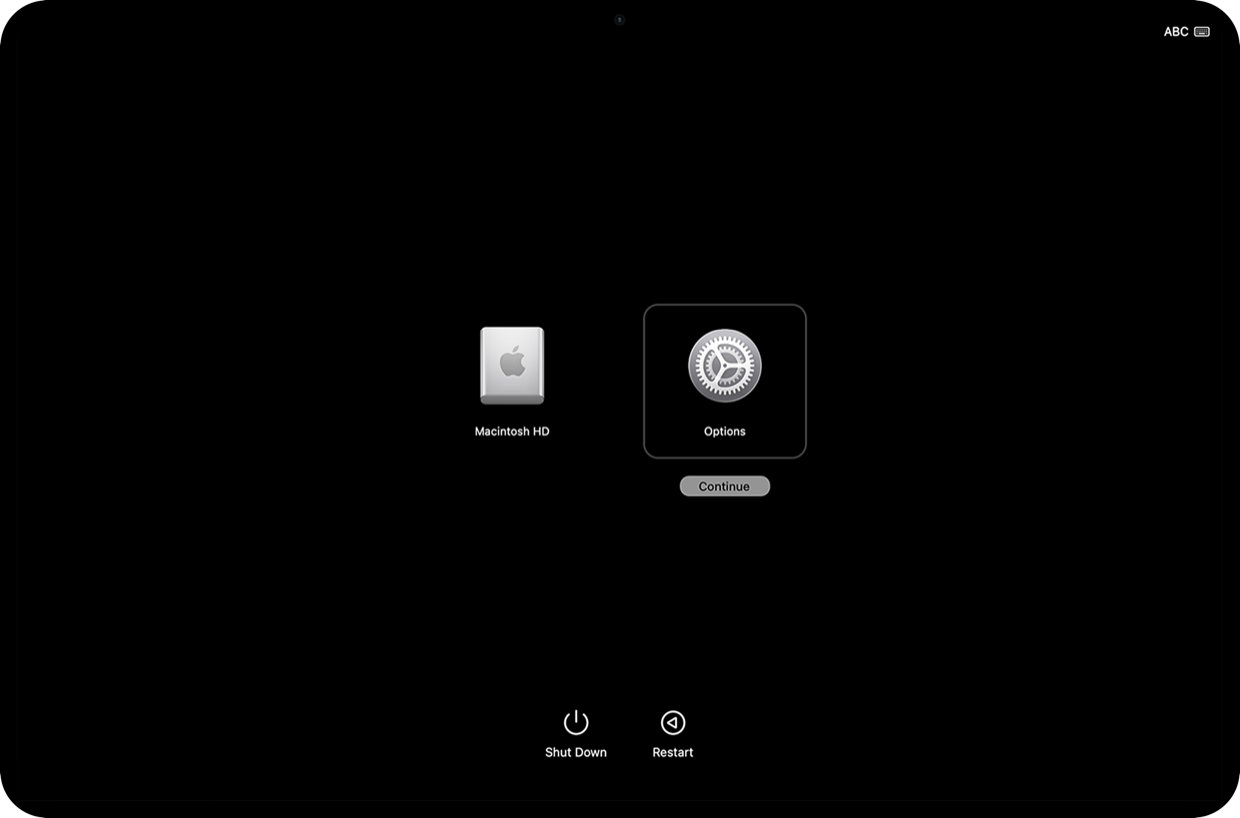
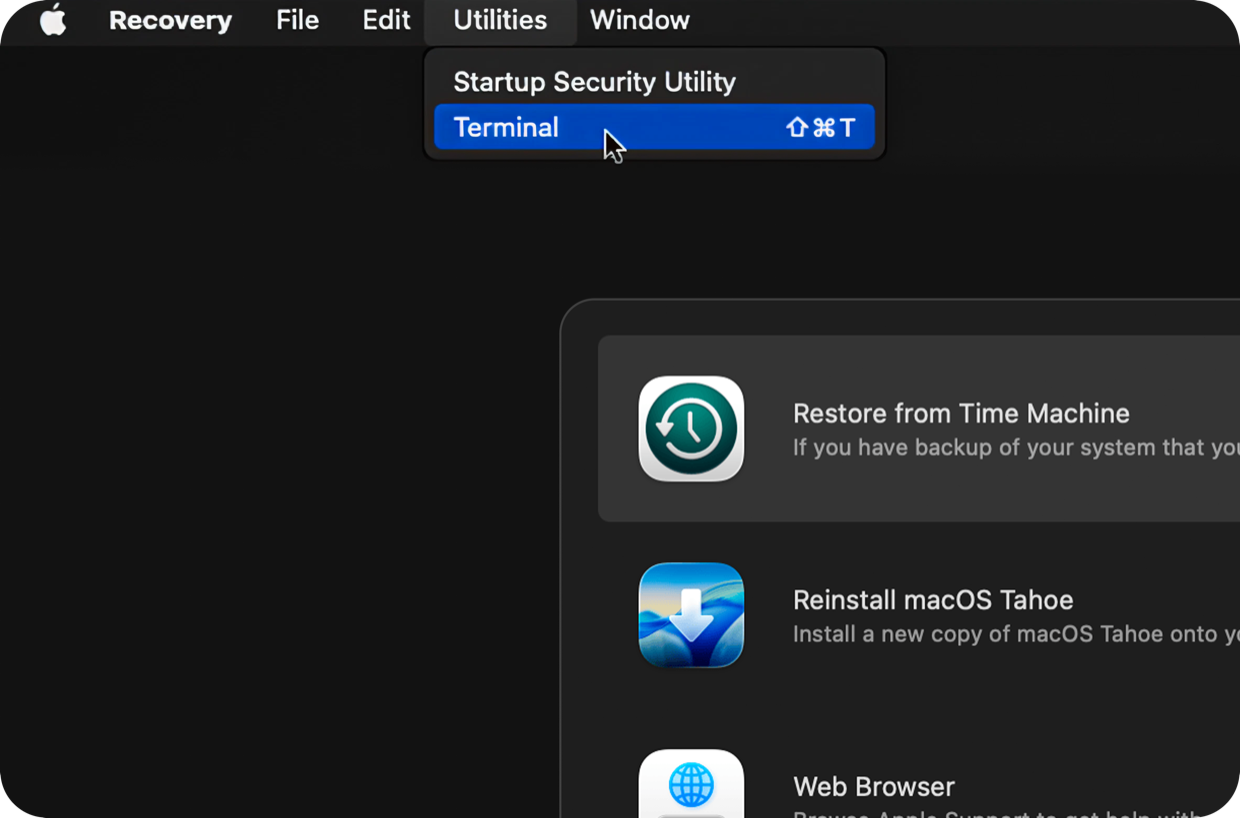
- Run these three, one at a time. The first asks for your password; the other two reuse it. Each one prints a confirmation when it works.
bputil -nkcacsrutil authenticated-root disablecsrutil disableWhat does this do?
This switches off three separate locks macOS keeps on system code, in the order that leaves them all cleanly off. You turn them all back on later in one step.
- Restart back into normal macOS.
On an Intel Mac? The steps are shorter.
Enter Recovery by restarting and holding ⌘R until the Apple logo appears. Open Utilities Terminal, run the one command below, then restart back into normal macOS.
csrutil disableIn Part 2, your first command is shorter too (the second is the same):
sudo nvram boot-args="-amfi_get_out_of_my_way=1"Part 2: Normal macOS
Back on your normal desktop now.
- Open Terminal and run these two, one at a time. Terminal is in Applications Utilities Terminal. Both are silent when they work, so a blank line is success, not an error.
sudo nvram 40A0DDD2-77F8-4392-B4A3-1E7304206516:boot-args="-amfi_get_out_of_my_way=1"sudo defaults write /Library/Preferences/com.apple.security.libraryvalidation.plist DisableLibraryValidation -bool true - Restart one last time.
sudo reboot
What does this do?
This turns off two checks that would otherwise stop macOS loading the tweak. The first adds a boot setting (the long code just tells your Mac where to save it); the second lets the tweak apply to Apple's own apps like Photos, Music and Safari too.
Final install
Open Liquid Radius again. With setup done, it goes straight to the final step. If you haven't activated yet, enter your license key when it prompts you, then click Install. It relaunches your open apps to apply the new look, so save your work first.

That's everything. You won't need Recovery or Terminal again. If anything ever looks off, the Support page has a one-command fix, or email [email protected].
A command didn't work?
Most issues come down to running a command in the wrong place. The Part 1 commands only work in Recovery; the Part 2 commands only work in normal macOS. If you see "command not found" or "csrutil: unavailable", you're in the other one.
If a Part 1 command is refused, FileVault may still be decrypting. Let it finish, then enter Recovery again. And if the Part 2 commands print nothing at all, that's expected, since they're silent when they work.